Open Windows Control Panel Applets from Command Line (Windows 7, 10, 11) – control & .cpl List

When troubleshooting Windows from an elevated Command Prompt or remote terminal, you often want to jump straight to Network Connections, Programs and Features, Sound, or Firewall without digging through nested menus.
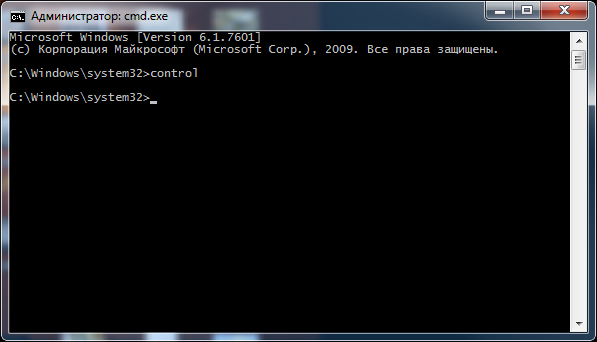
Windows 7, 10, and 11 support two handy ways to open Control Panel applets from Win + R, CMD, PowerShell, or desktop shortcuts: short .cpl commands and canonical control /name Microsoft.* names.
Fastest Short Commands (.cpl)
These are the easiest to memorize and work across Windows 7, 8, 10, 11, and Windows Server:
| Applet | Command |
|---|---|
| Control Panel (Home) | control |
| Programs and Features | appwiz.cpl |
| Network Connections | ncpa.cpl |
| System Properties | sysdm.cpl |
| Sound Settings | mmsys.cpl |
| Power Options | powercfg.cpl |
| Windows Firewall | firewall.cpl |
| Date and Time | timedate.cpl |
| Internet / Proxy Properties | inetcpl.cpl |
| Mouse / Region Settings | main.cpl / intl.cpl |
Canonical control /name Commands
When an applet has no standalone .cpl file, use Microsoft’s canonical Control Panel names – great for batch scripts and pinned shortcuts:
| Control Panel Item | Command |
|---|---|
| Administrative Tools | control /name Microsoft.AdministrativeTools |
| Backup and Restore | control /name Microsoft.BackupAndRestore |
| Windows Firewall | control /name Microsoft.WindowsFirewall |
| Recovery | control /name Microsoft.Recovery |
| Device Manager | control /name Microsoft.DeviceManager |
| Credential Manager | control /name Microsoft.CredentialManager |
| File Explorer Options | control /name Microsoft.FolderOptions |
| Indexing Options | control /name Microsoft.IndexingOptions |
| Programs and Features | control /name Microsoft.ProgramsAndFeatures |
| Devices and Printers | control /name Microsoft.DevicesAndPrinters |
| User Accounts | control /name Microsoft.UserAccounts |
| Network and Sharing Center | control /name Microsoft.NetworkAndSharingCenter |
| BitLocker Drive Encryption | control /name Microsoft.BitLockerDriveEncryption |
| Fonts Folder | control /name Microsoft.Fonts |
| Power Options | control /name Microsoft.PowerOptions |
| Region and Language | control /name Microsoft.RegionAndLanguage |
Windows 10 & 11 note: Microsoft redirected a few legacy items like System and Windows Update into the modern Settings app, while workhorse dialogs such as ncpa.cpl, appwiz.cpl, mmsys.cpl, and control /name Microsoft.CredentialManager still open their classic windows directly.
You can drop any of these commands straight into a desktop shortcut or admin script – once you memorize three or four of them, configuring Windows machines becomes dramatically faster.