Fix vsftpd Error: 500 OOPS: refusing to run with writable root inside chroot()

After upgrading vsftpd to version 2.3.5 or newer on Debian, Ubuntu, or CentOS, FTP logins can abruptly fail with: 500 OOPS: vsftpd: refusing to run with writable root inside chroot() – even when username and password are 100% valid.
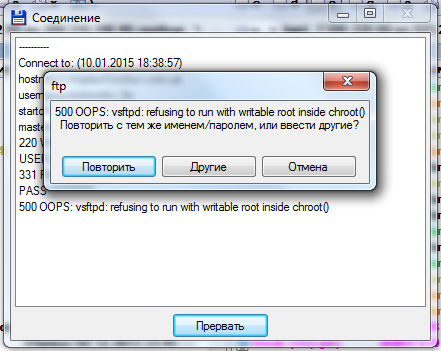
The reason is an intentional security hardening change by vsftpd author Chris Evans: by default, vsftpd refuses to jail a user inside a chroot whose top-level root folder is writable by that user.
Three Working Ways to Fix 500 OOPS
Pick the approach that fits your vsftpd version and security policy:
1. Cleanest & Most Secure: Make the Chroot Root Read-Only
Remove write permission from the user’s top-level home directory and place a writable subfolder (such as uploads or www) inside it:
chmod a-w /home/ftpuser
mkdir -p /home/ftpuser/uploads
chown ftpuser:ftpuser /home/ftpuser/uploads
This keeps full chroot hardening intact with zero extra configuration hacks.
2. Fast Config Fix (vsftpd 3.0+ on Modern Debian / Ubuntu)
If your workflow truly requires uploads directly into the chroot root folder, add one line to /etc/vsftpd.conf:
allow_writeable_chroot=YESThen reload the daemon with systemctl restart vsftpd.
3. Workaround for Older Builds Without allow_writeable_chroot
On older Linux builds that lack allow_writeable_chroot, enable passwd_chroot_enable=YES in /etc/vsftpd.conf and mark the chroot boundary with /./ inside /etc/passwd:
# In /etc/vsftpd.conf:
passwd_chroot_enable=YES

# Example line in /etc/passwd:
aero_ftp:x:1004:33::/data/./aero_ftp:/bin/false
Here /data acts as the non-writable chroot jail while the user lands directly inside their writable aero_ftp directory – immediately eliminating the 500 OOPS error.