How to Get and Revoke a Free Electronic Signature (KEP/ECP) in Privat24 Ukraine

A qualified electronic signature – officially called KEP (кваліфікований електронний підпис) in Ukraine today, though many people still search for it under the older name EDS/ECP – lets you verify your identity remotely with government portals, sign documents, and use online banking without visiting offices in person.
 Logging into the Pension Fund of Ukraine portal is one of the most common uses for a KEP key
With a digital signature, you can check your pension accruals and insured work history in the Pension Fund portal, sign into Diia, file tax returns, register a sole proprietorship (FOP) online, or access banking services.
How to Get a Free KEP (ECP) Key in Privat24
When I needed a digital signature myself, I did not spend money or time visiting a paid certification center – PrivatBank customers can issue an electronic key completely free and remotely right inside Privat24.
 Supported certification authorities shown during online entrepreneur registration
- Open Privat24 on desktop: sign in from a browser and go to Services → Business → Electronic Signature («Сервіси → Бізнес → Електронний підпис», previously «Все услуги – Бизнес – ЭЦП») or visit the PrivatBank CA (ACSK) portal.
- Confirm your details and set a password: verify your full name and registration details, then create a strong password for the key container.
- Download the key file: older guides required installing
BankID CryptoPlugin, whereas modern browsers generate and save the.jkskey file directly to your computer.

 Keep your .jks key file and password in a safe backup location
Back up the .jks file right away onto a flash drive or encrypted storage and save the password in a password manager – a forgotten password on an existing key file cannot be recovered, so you would have to issue a new key.
Cloud Signatures: SmartID and Diia.Signature
If you do not want to carry a .jks file around between your PC and phone, cloud keys are much simpler today:
- SmartID in Privat24: activated right inside the Privat24 mobile app (Settings → SmartID Signature / «Налаштування → Підпис SmartID» or via the business cabinet) – your key stays in the bank’s protected cloud and signs via QR code or push prompt.
- Diia.Signature (Дія.Підпис): a free mobile cloud KEP inside the Diia app that works on your phone with face verification instead of key files.
How to Revoke (Cancel) a PrivatBank KEP/ECP Certificate
Sometimes you need to cancel a file key or SmartID before it expires – for example, if the .jks file was lost, saved on someone else’s computer, or you forgot its password. Issuing a replacement key does not automatically invalidate the old certificate while it is still within its validity period, so revoking it explicitly is safer.
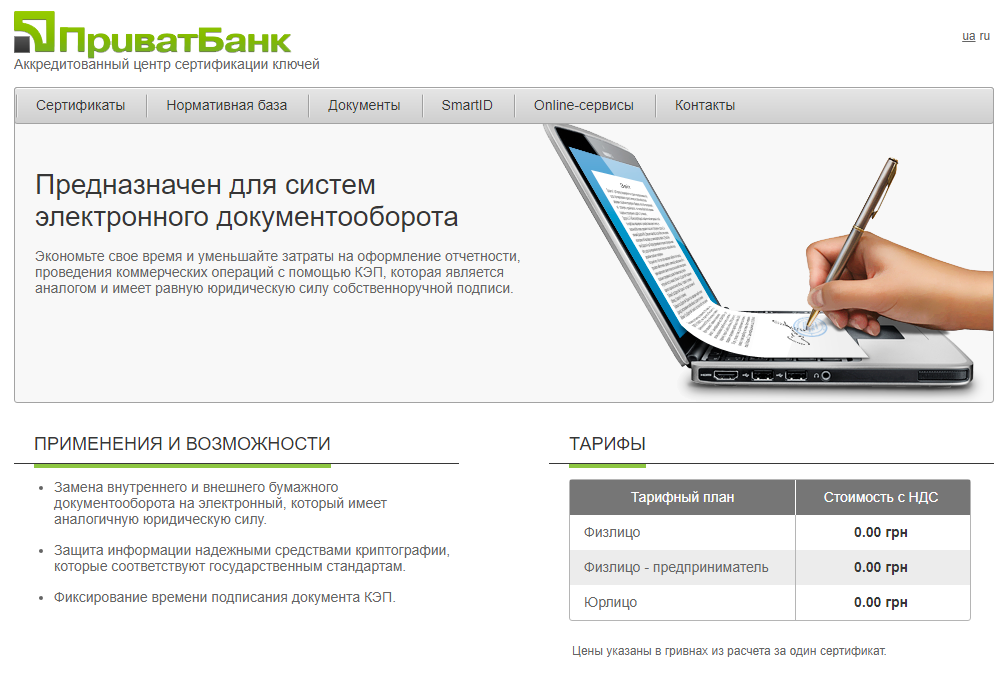 Certificate management section on the PrivatBank ACSK portal
- Via the PrivatBank ACSK portal: open PrivatBank ACSK and go to Online Services → Revoke Certificate («Online-сервіси → Відкликати сертифікат»), signing in with an active key, PrivatBank card, or searching by tax ID (RNOKPP).
- If the file is lost and password forgotten: pick the certificate serial number from the list of active keys and confirm revocation («відкликання») – the status switches to revoked right away.
- For cloud SmartID: you can revoke or block the signature directly inside the Privat24 mobile app under SmartID settings, or via bank support chat (3700).
Right after revocation, you can issue a fresh .jks file or SmartID key in a couple of minutes – and no one else will be able to use the old compromised certificate.