WinPower Doesn’t See the UPS — Fix
Problem: you install WinPower, connect a UPS (for example a Mustek PowerMust 600) via USB and start WinPower. The program doesn’t see the UPS, even though Windows detects it and installs the drivers. The UPS doesn’t show up in the program window, and auto search doesn’t help.
Solution: log in to WinPower as its administrator, then run auto search.
Step by step
Switch to administrator mode:
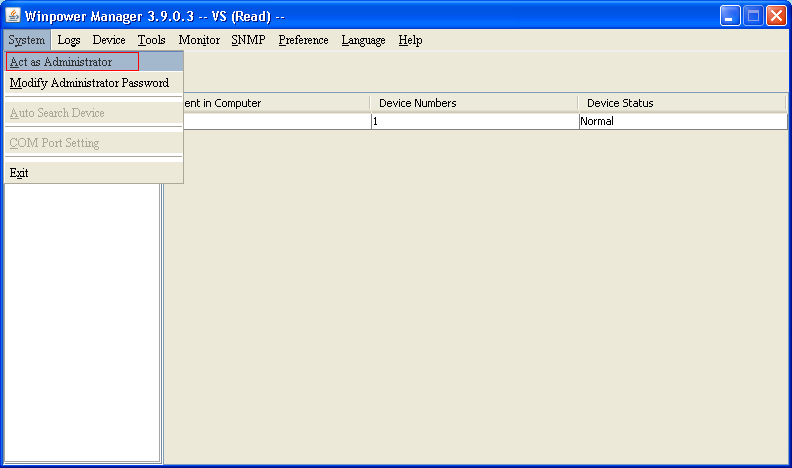
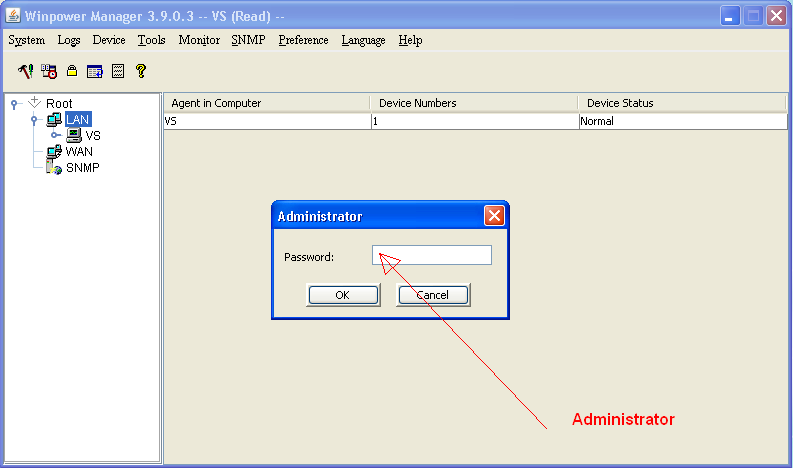
The default password is Administrator
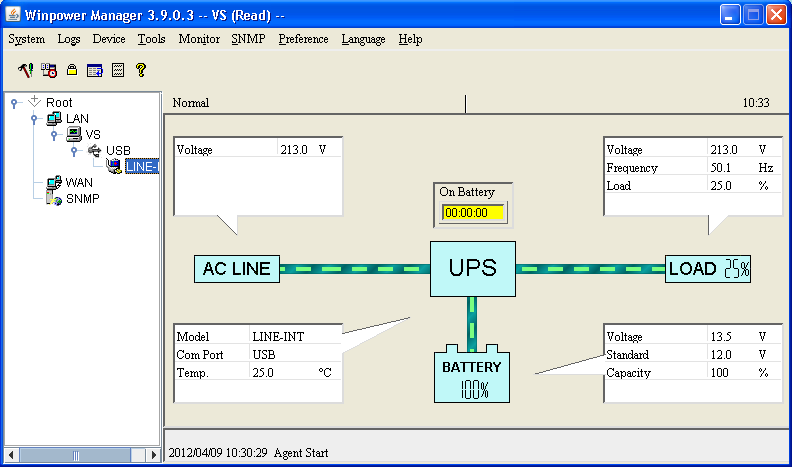
Run auto search — the UPS should appear. Expand the tree to see its status.
If it still doesn’t see the UPS
- Run WinPower as a Windows administrator (right-click the shortcut → Run as administrator).
- Try another USB port and the original cable; avoid USB hubs.
- Download the latest WinPower from your UPS maker’s website — old versions don’t always work on Windows 10/11.


