Category:
Hardware Posted:
October 8, 2020
Author:
AntonioThe first time I ran into this, I was very surprised. Why is the laptop so slow? It felt like an ancient computer.

I looked in Task Manager and saw that the CPU was running at 800 MHz!
Read the full article
Category:
Hardware Posted:
April 24, 2020
Author:
AntonioA big, white, old-timer: the Canon imageRUNNER 2520.
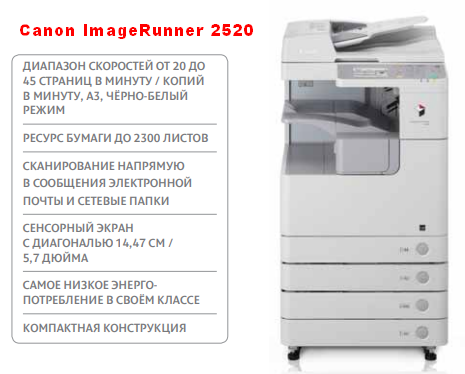
When you send a job to print, the machine just beeps and prints nothing.
Read the full article
Category:
Hardware Posted:
February 27, 2020
Author:
AntonioThe imageRUNNER 2520 is a big, powerful, heavy multifunction device (MFP: printer, scanner, copier).
Network printing on the Canon imageRUNNER 2520 usually works without problems, and so does copying. Network scanning is where problems show up.
Read the full article
Category:
Hardware Posted:
June 15, 2019
Author:
AntonioI had to spend some time finding a working Wi-Fi driver for an HP 2000 laptop. Windows 7 reported that it could not find drivers for the network card and Wi-Fi, so it was up to me. Time to search.
Two ways to find the driver
You can go two ways. First: find out the name and model of the Wi-Fi module and look for the driver on the module maker’s site. Second: find the driver by laptop model on the laptop maker’s site — but even then you need to know roughly which Wi-Fi module you have, so you pick the right one, because laptops of the same series can have different Wi-Fi modules. There is also a third way, using some driver-scanner program, but that’s not our method.
So let’s start with the hardware ID in Device Manager.

VEN_168C&DEV_0036 corresponds to the Qualcomm Atheros AR9000 Series adapter.
Read the full article
Category:
Hardware Posted:
November 9, 2018
Author:
AntonioThe Raspberry Pi mini computer can be powered in several ways.
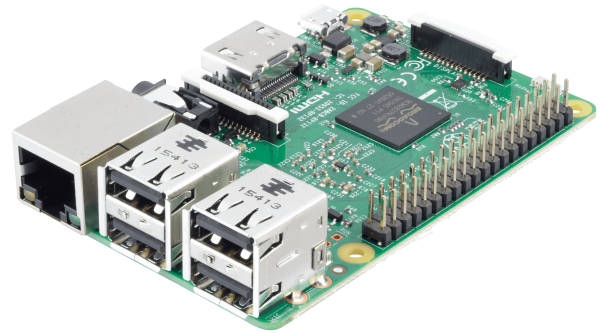
Ways to power a Raspberry Pi 2 or 3:
- The simplest: a good phone charger with 5 V / 2 A (2.5 A recommended for the Pi 3) into the micro-USB port.
- Through the GPIO pins (the 40-pin header — General Purpose Input/Output).
- Soldering wires directly to the board.
Read the full article