PuTTY Shows Garbled Characters and Squares in Linux Console (UTF-8 Fix)
I took a hosting plan for a test drive, and it included SSH access. The first thing I did was look at the server from the inside. I entered the settings in PuTTY, connected, and instead of a normal Midnight Commander window I got random letters, squares, and shifted lines. In short, garbled characters. Obviously something was wrong with the encoding.
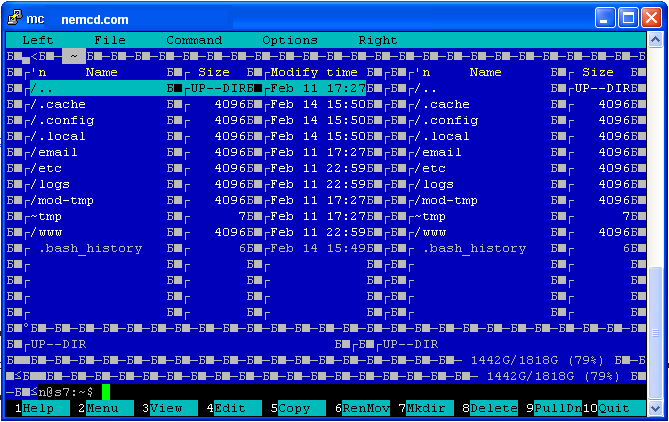
To make lines and frames display correctly in PuTTY, you need to adjust a few settings. In my case it was enough to set the character set to UTF-8: Window → Translation → Remote character set → UTF-8.
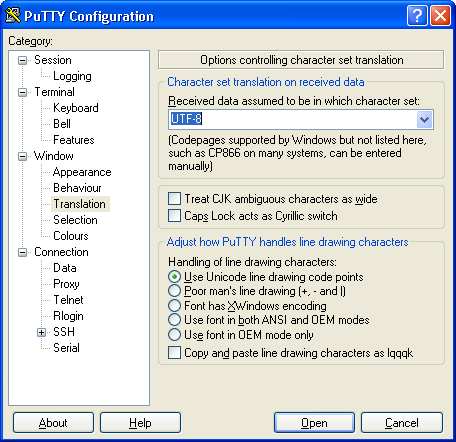
Sometimes people also advise selecting the font Lucida Console (Western), setting UTF-8, and checking Use font in both ANSI and OEM modes.
Make sure the server uses a UTF-8 locale too (for example LANG=en_US.UTF-8); otherwise the box-drawing characters in mc may still look wrong.
