How to Turn Off SIM PIN on Xiaomi, Redmi and POCO (MIUI & HyperOS)
I put a new SIM card into my Xiaomi Redmi Note 4X, and after every restart the phone asked for the SIM PIN first. The PIN was the default 0000 — nothing secret, but typing it every time is pointless. Here is how to turn the SIM PIN request off.
Fastest way on any Xiaomi, Redmi or POCO: open Settings, tap the search bar at the top and type SIM card lock. Open the result, pick your SIM, switch Lock SIM card off and enter the current PIN. Done.
You need the SIM card inserted and you need to know its current PIN — this is the PIN of the SIM card, not the phone’s screen lock.
Below is the step-by-step path with screenshots (MIUI 9.5; my phone’s menu is in Russian, but the layout is the same in English).
Step by step (MIUI)
Open Settings (the gear icon).
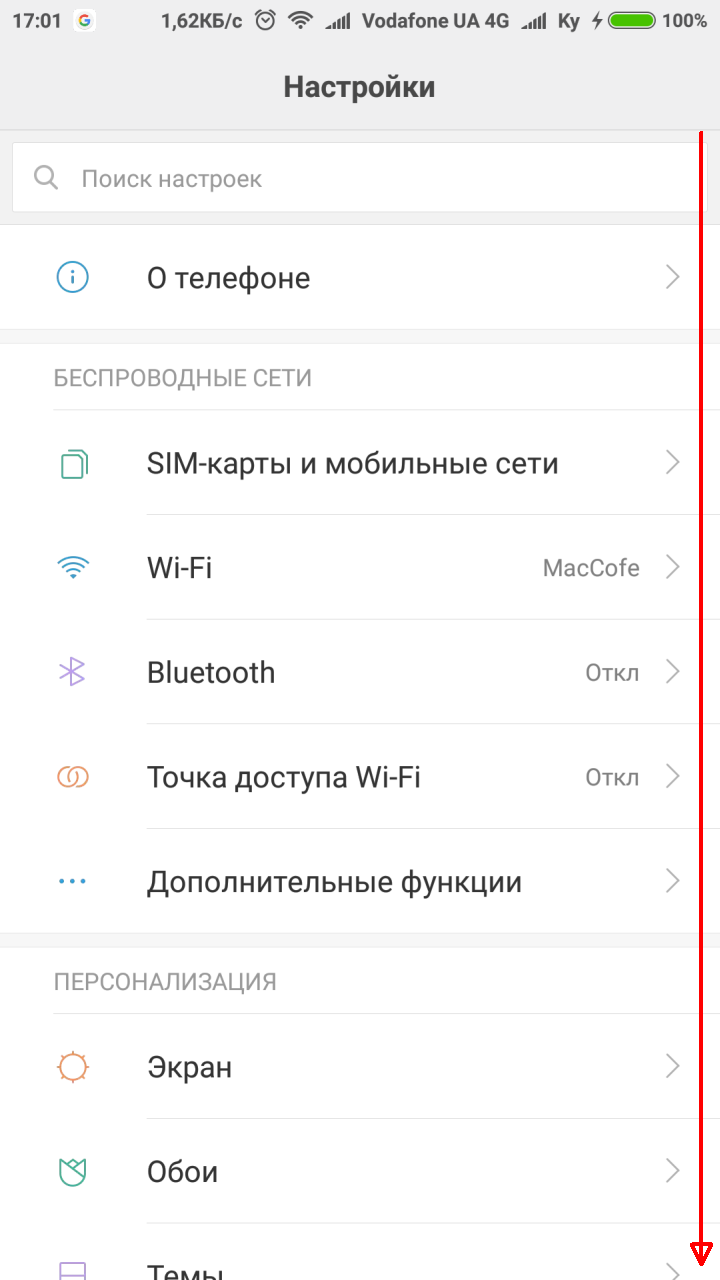
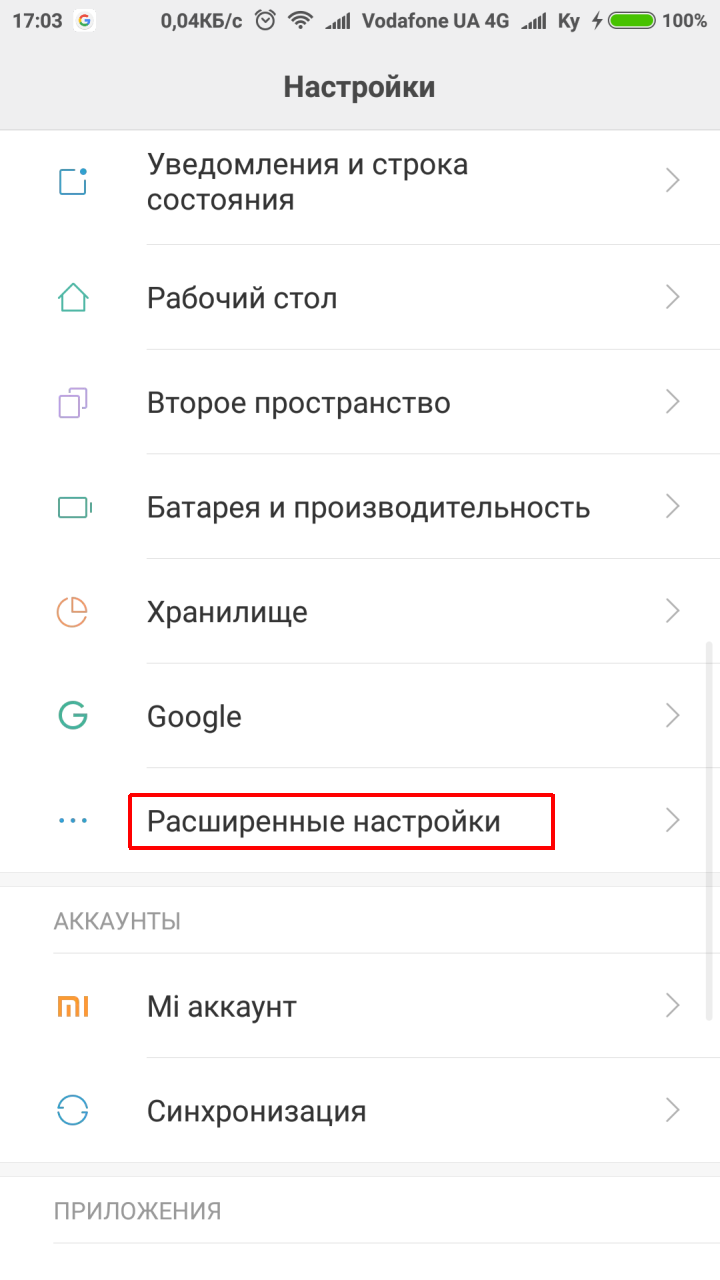
Scroll down to the System & Device section and open Additional settings.
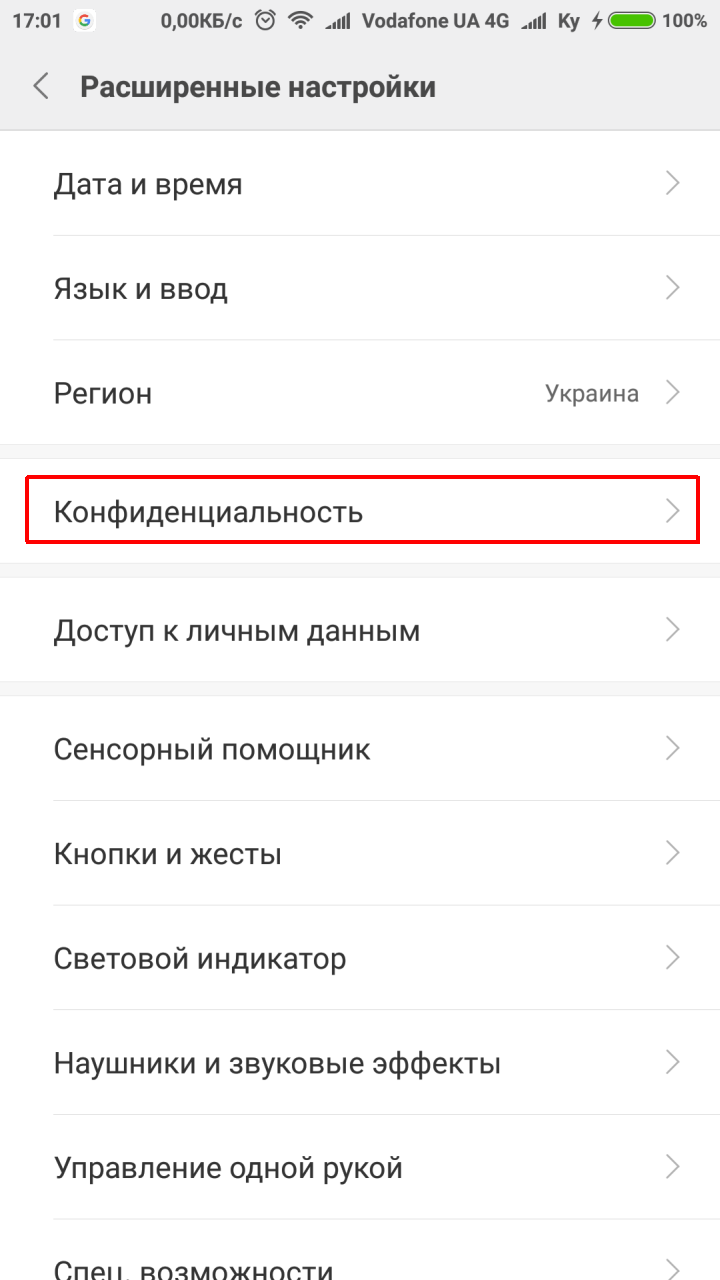
In Additional settings open Privacy.
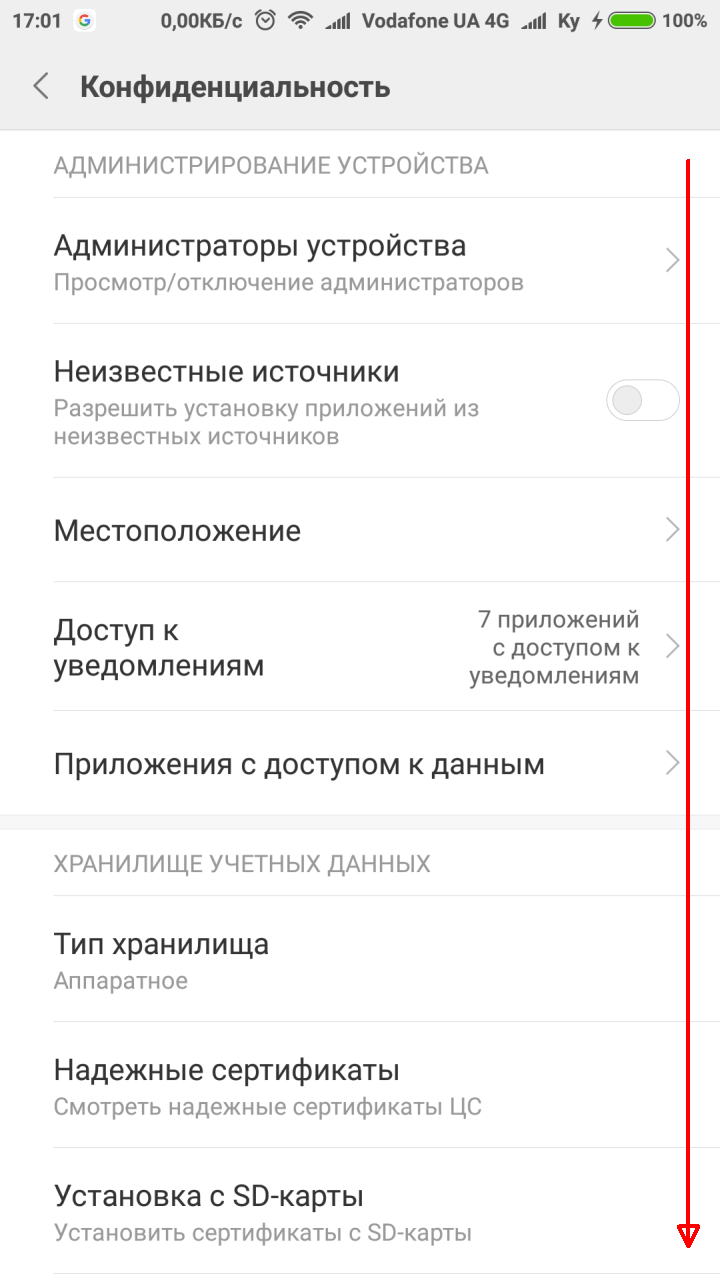
In Privacy find SIM card lock — this is the one we need. It shows the list of your SIM cards.
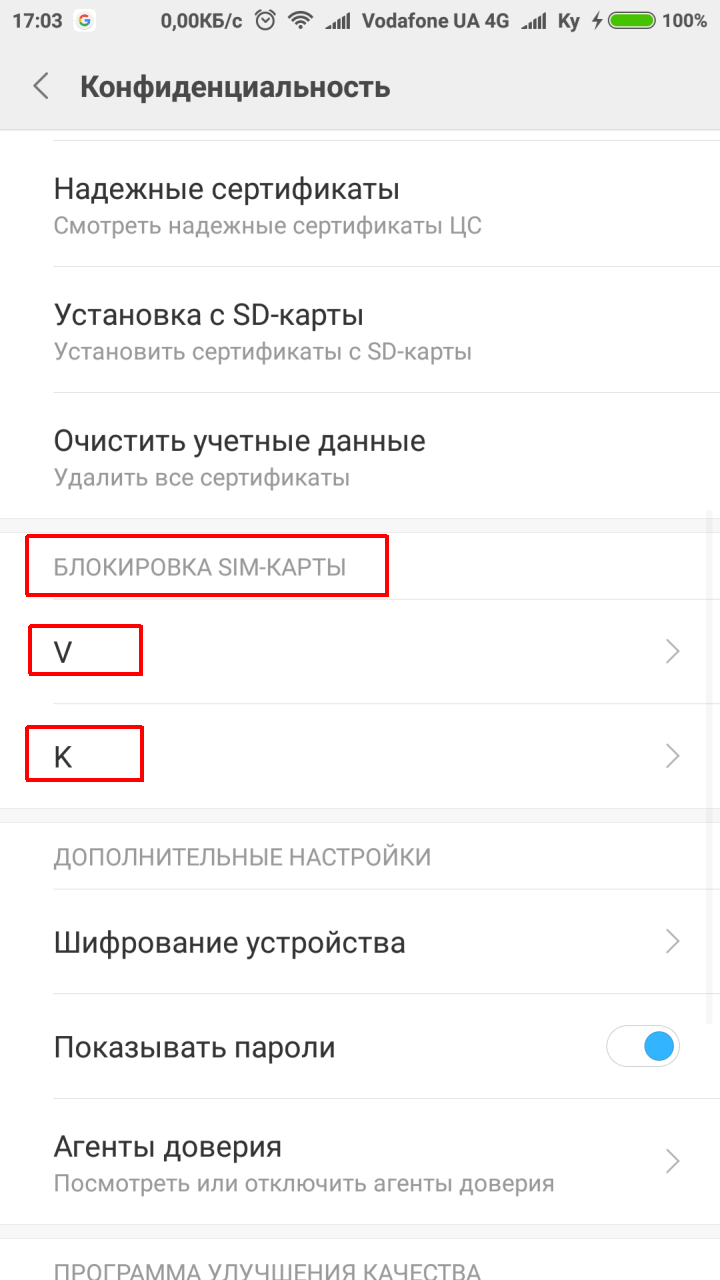
Tap the SIM card whose PIN you want to remove or change.

Switch the toggle off and enter the correct PIN — the PIN request is now disabled.
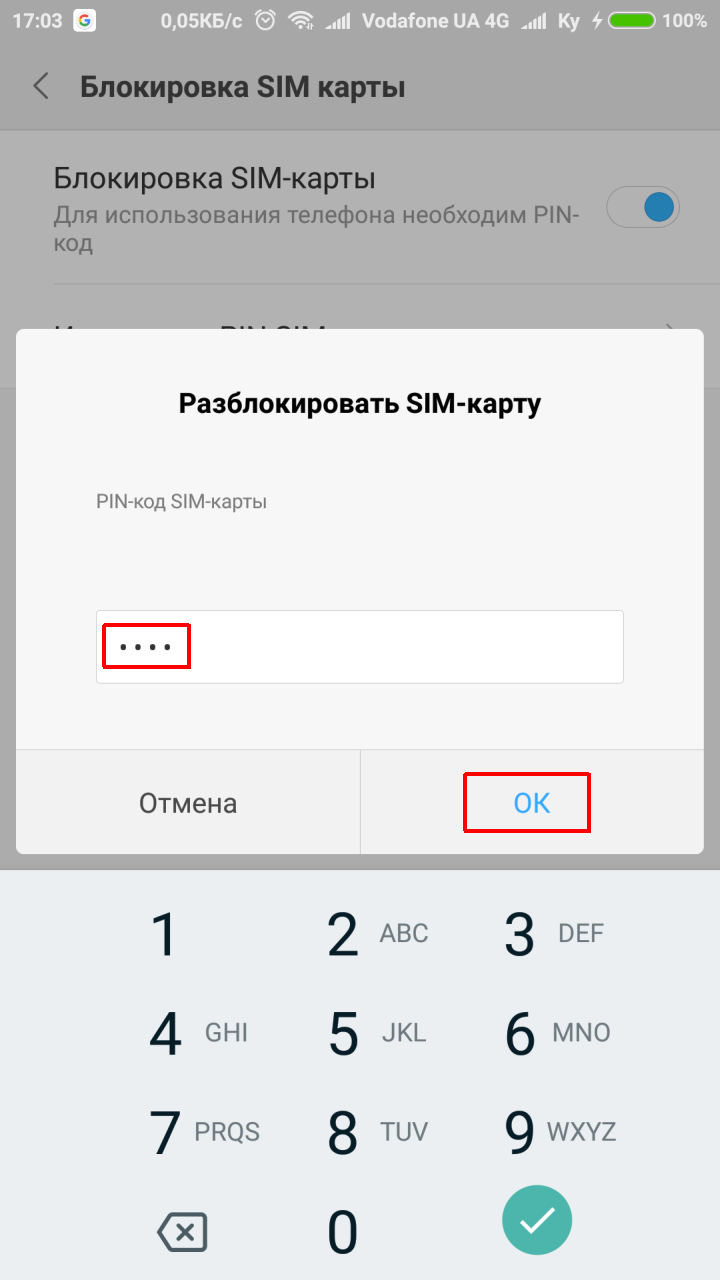

The phone will no longer ask for the SIM PIN after a restart.
Newer MIUI and HyperOS
In newer versions the menu has moved (it is now under the security / privacy settings, and the exact names differ between versions). The search in Settings is the quickest way: type “SIM card lock” or “SIM PIN”. On dual-SIM phones each card has its own lock — switch it off for each SIM separately.
Good to know
- Wrong PIN three times blocks the SIM, and you will need the PUK code (it is printed on the plastic card the SIM came in, or your carrier can give it to you).
- Without a PIN anyone who takes the SIM out can use it in another phone. If that matters to you, change the PIN instead of disabling it — the same menu has a Change SIM PIN option.
I wrote this up step by step because the settings menu is quite branched, and later it takes forever to remember where that one switch was 


