UltraISO: Unknown Image Format (.ima) — How to Restore the Image
I cloned an SD card with UltraISO using Bootable → Create Hard Disk Image. The result was an image of the memory card in .ima format.
The card was taken away. Fine, I thought, I’ll restore the image onto another card. And then — the error “Unknown image format”.
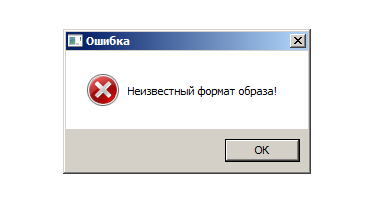
I didn’t see that coming.
UltraISO is usually a great helper — writing a bootable ISO to a USB stick, mounting an image as a virtual CD-ROM. But here it let me down. Nothing could open the IMA image of the SD card: I tried PowerISO, WinISO, MagicISO and WinImage. Some showed two partitions inside and offered to pick one, but couldn’t mount either.
Why UltraISO can’t open the .ima
A hard disk image from UltraISO is a sector-by-sector copy of the whole device: the partition table plus the partitions. Simple images (a single partition, like a normal USB stick) open fine in UltraISO later. But if the card has several partitions or a hidden one (like cards for Raspberry Pi, dashcams or GPS units), you can’t open the .ima like an archive — yet the image itself is not broken.
The fix: write the image back to a card
Since UltraISO copied the card correctly and the file isn’t damaged, you can write it to another card and the files will be there.
I remembered a small free tool, Win32 Disk Imager — I once used it to write a FreeBSD image to a USB stick.
- Download and run Win32 Disk Imager.
- Choose the image. By default it only shows *.img files, so type
*in the file name field and pick your .ima (or simply rename the file to .img). - Select the drive letter of the memory card or USB stick — carefully, everything on it will be erased.
- Click Write.
When it finished — a miracle! I opened the drive and all the data was there. It even worked when writing to a USB stick instead of an SD card.
Other image writers work too: balenaEtcher, Rufus, Raspberry Pi Imager (“Use custom”). The target card must be at least as large as the original.
Thanks to the author of Win32 Disk Imager — it has saved me more than once 


