Samsung R40 Plus Video Driver for Windows 7 (ATI Radeon Xpress 1250)
I pulled an old Samsung R40 Plus laptop out of the closet, and finding its video driver sent me all over the ATI site, driver archives and forums.
The laptop came with Windows Vista; Windows 7 is a better choice.
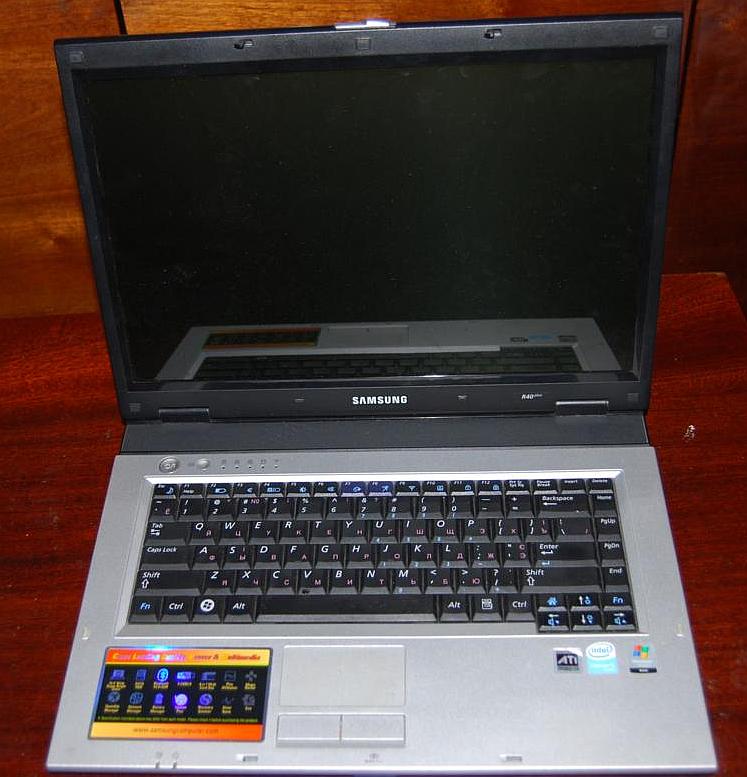
Windows 7 ran fine (I added some RAM to make it snappier — an SSD would help too), but there was a problem with the video driver.
Windows 7 detected the graphics as “Standard VGA Graphics Adapter”, and Windows Update didn’t help.
The hardware ID is ven_1002&dev_7942 — an ATI Radeon Xpress 1200 Series chip, more precisely the ATI Radeon Xpress 1250.
On the AMD/ATI site the Xpress 1250 was last supported in Catalyst 9.3. I found the original Catalyst 9.3 (file name 9-3_vista32_win7_32_dd_ccc_wdm_enu.exe) — but it doesn’t detect the card and won’t install. The Omega driver pack didn’t find the card either.
The driver that works
The working one is from Samsung’s official site: ATI Radeon Xpress 1250 driver (ATI Chipset Integrated Graphics Driver 8.333.1.0).
The trick is how you install it: unzip it, open the properties of Setup.exe, set compatibility mode to Windows Vista, and run it as administrator.
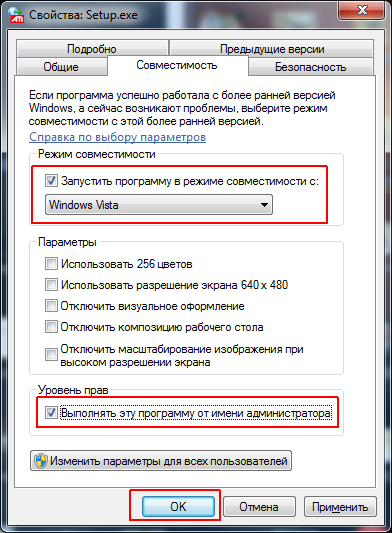
After the installation finishes, set the correct resolution for the laptop screen — 1280×800.
The same approach usually works for other laptops with the Radeon Xpress 1200/1250 (hardware ID ven_1002&dev_7942).


