Office 2007: How to Save as PDF (Add-in and Service Pack 2)
I needed to save documents as PDF, and I happened to have Office 2007 at hand. Instead of installing third-party software, you can use a free add-in from Microsoft: it lets you save and export files as PDF in eight Office 2007 programs.
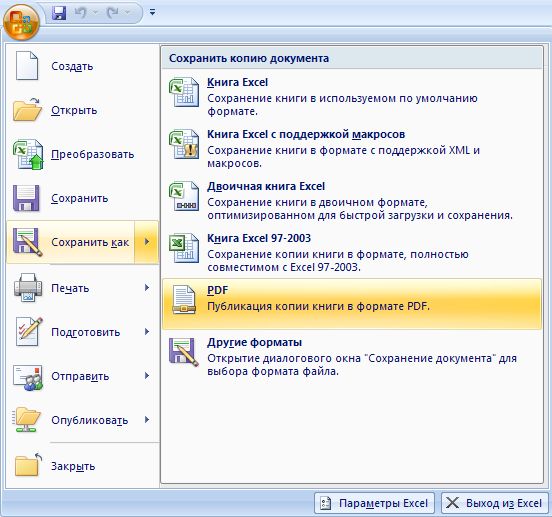
After installing it, a PDF or XPS option appears in the Save As menu.
Download the add-in
- 2007 Microsoft Office Add-in: Save as PDF (SaveAsPDF.exe, Russian version)
- 2007 Microsoft Office Add-in: Save as PDF or XPS (SaveAsPDFandXPS.exe, Russian version) — if you also need XPS
In some Office programs the add-in also lets you send a file as a PDF email attachment right away — the exact features depend on the program.
If Service Pack 2 is installed
Office 2007 Service Pack 2 was released on April 28, 2009. It has PDF and XPS saving built in, so the separate add-in isn’t needed: just choose Save As → PDF or XPS. If there’s no such option, install SP2 or the add-in above.
Judging by the comments, the add-in still rescues people who have an old Word 2007 on their computer: it’s no longer available on Microsoft’s site.