How to Monitor Network Traffic in FreeBSD with iftop
Sometimes you need to see who is talking to your server, and how actively (or through your server, if it acts as a gateway). Two popular software packages exist for this: trafshow and iftop.
Let’s look at iftop.
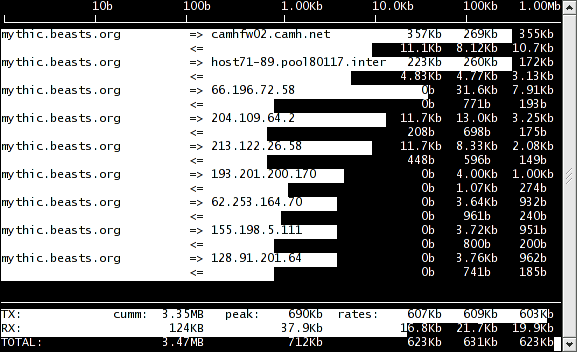
The main advantage of iftop is that the information is shown in a simple, clear way: the amount of transferred data is displayed both as numbers and as a graphical horizontal bar.
You change what is displayed by pressing keys; press ? to see the list of available commands. For convenience, you can turn on the display of connection port numbers (the p key).
iftop can be started with various options (see man iftop).
Installing from ports is quick and easy:
cd /usr/ports/
make search name="iftop"
cd /usr/ports/net-mgmt/iftop
make install clean
On modern FreeBSD you can also install the binary package:
pkg install iftop
Run iftop (as root, on the interface you want to watch):
iftop -i em0
The program’s website: iftop home page.
