Cirrus Logic CS4206A Audio Driver for Windows 7, 10 & 11 (VEN_1013&DEV_4206): Sound and Mic Fix on Mac mini & MacBook

When performing a clean installation of Windows 7, Windows 10, or Windows 11 on a 2010–2012 Apple Mac mini, iMac, or MacBook Pro using an external DVD drive or bootable USB flash drive without running the Boot Camp Assistant, Windows cannot automatically locate a driver for the built-in audio controller. In Device Manager, the sound card appears with a yellow exclamation mark or as a generic High Definition Audio device, leaving your speakers and headphones completely silent.

If you open the unknown audio device properties, switch to the Details tab, and select Hardware Ids, you will see the custom Apple audio codec Cirrus Logic CS4206A (AB 27) identified by the string HDAUDIO\FUNC_01&VEN_1013&DEV_4206&SUBSYS_106B0300&REV_1003 (the subsystem code SUBSYS_106B... varies slightly depending on your exact Mac mini or MacBook board revision).
Download Original Cirrus Logic CS4206A Drivers (64-bit & 32-bit)
Searching for this chip on the official Cirrus Logic website leads nowhere: their public catalog lists data sheets for neighboring codecs, but there is no standalone installer for the custom CS4206A chip manufactured specifically for Apple. To save you from downloading multi-gigabyte archives or risky third-party driver packs, I extracted the original digitally signed Cirrus Logic audio installers directly from Apple’s official BootCamp4.0.4033.zip and BootCamp5.1.5621.zip packages:
- Cirrus Logic CS4206A Driver for Windows 7 / 10 / 11 (64-bit, from Boot Camp 5.1.5621): CirrusAudioCS4206x64.zip – the primary recommended installer for 64-bit Windows systems.
- Cirrus Logic CS4206A Driver for 32-bit Windows (x86, from Boot Camp 4.0.4033): CirrusAudio32.zip – designed for legacy 32-bit editions of Windows 7.
- Earlier 64-bit Driver Version (x64, from Boot Camp 4.0.4033): CirrusAudio64.zip – helpful on early 2010 Mac mini and MacBook Pro revisions.
- Universal WHQL Cirrus Logic Package (CS4206 / CS4207 Series v6.6001.1.39): CS4207_LogoedDriverPackage_6-6001-1-39.zip – unpack this archive and install it manually via Device Manager (Update driver -> Browse my computer for drivers).

Why the Microphone Input Does Not Work on Mac mini Under Windows
Once you install any of the drivers above, speaker, headphone, and optical S/PDIF audio output work great. However, many Mac mini owners immediately run into a second frustrating issue: plugging a standard PC microphone into the Mac mini’s audio input jack produces no sound at all, or an extremely faint signal buried in static noise.

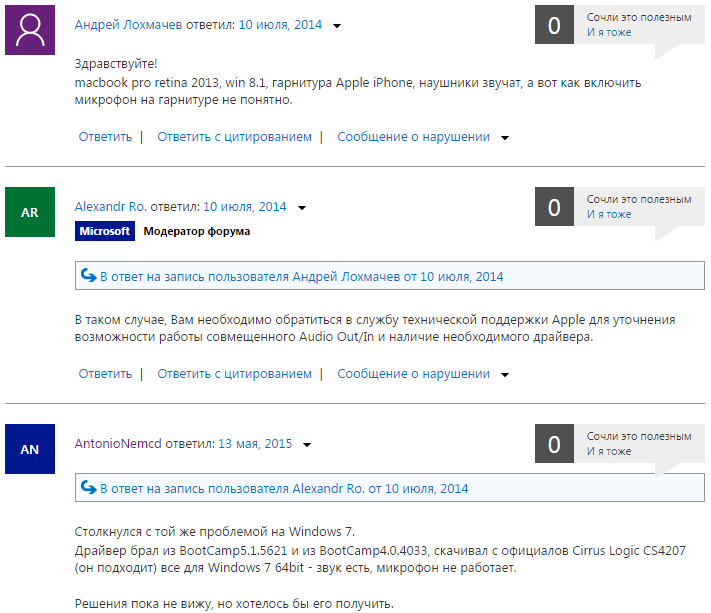
Across Microsoft Technet and Apple Support Communities, dozens of multi-page threads discuss this exact symptom on Cirrus Logic CS4206A and CS4206B chips without an official software fix from either vendor.
The root cause is actually hardware design rather than a broken driver:
- Line-Level Input vs. Microphone Input: the 3.5 mm input port marked with two inward-pointing triangles on the back of the Mac mini is a Line In port, not a standard PC
Mic Inport. A PC microphone jack provides 2–5 V of DC bias power (plug-in power) and a high-gain preamplifier for passive electret capsules. The Mac mini’s Line In port expects an already amplified line-level signal from a mixer, active preamp, or self-powered microphone. A regular passive headset mic simply cannot drive it. - TRRS Combo Headphone Jack Limitations: while the headphone jack supports Apple 4-pole CTIA headsets under macOS, the Windows Boot Camp driver for the CS4206A often fails to switch the internal input multiplexer to the external headset mic ring.
- The Fastest Practical Workaround: instead of buying an external microphone preamplifier, simply plug in any inexpensive USB audio adapter, a USB headset, or a USB webcam with a built-in microphone. Windows recognizes USB audio class devices immediately, giving you crystal-clear voice input while keeping your speakers connected to the Cirrus Logic CS4206A output.
On my own Mac mini, I plugged in a standard USB webcam with a built-in microphone and left my desktop speakers on the analog Cirrus Logic output – a combination that worked flawlessly for years.