invite.ics File: What It Is and How to Open It in Google Calendar
I was asked to help with a file called invite.ics. It turns out to be a calendar file, which can be opened in Microsoft Outlook, Google Calendar, Mozilla Sunbird, and other applications. To avoid installing anything special, I decided to use what I already had at hand, which is of course Google Calendar.

Open Google Calendar from your Gmail account.
Then, as always, click the gear icon and choose Settings.
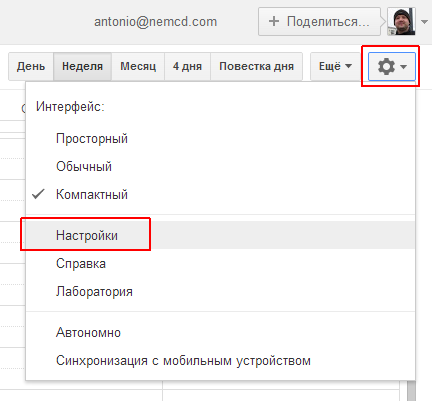
In the calendar settings, go to Import & export (older versions: Calendars → Import calendar) and select the invite.ics file (or another calendar file you want to import) on your drive.

After the import, the event from the calendar file appears in your calendar and is marked in the mini calendar on the left. I had no events, so I noticed the new one right away: the date was highlighted in bold.
You can also just double-click an .ics file to open it in Outlook or the default calendar app, or drag it into an open Google Calendar window.
P.S. I also installed and tried Sunbird Setup 1.0 Beta 1. It’s a bit raw, but usable, though the question is why, when there is Google Calendar.
