PL2303 Driver for USB\VID_067B&PID_2303 (USB to COM Adapter) — Download
I found an old USB to COM (9-pin RS232) adapter in a drawer. This is what it looks like:
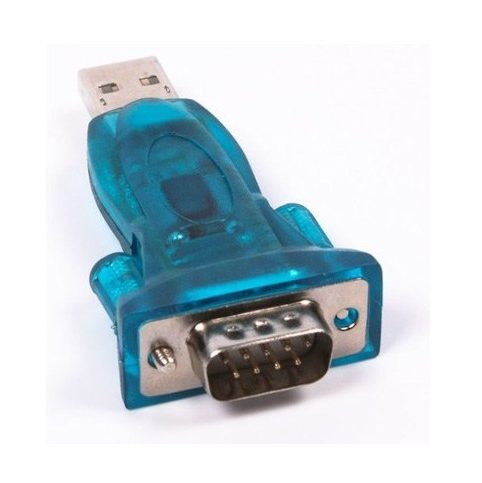
Judging by online shop listings it is a Viewcon VE 066, but the box is long gone, so it may be something else — for getting it to work that doesn’t matter.
In Windows it shows up as USB\VID_067B&PID_2303.
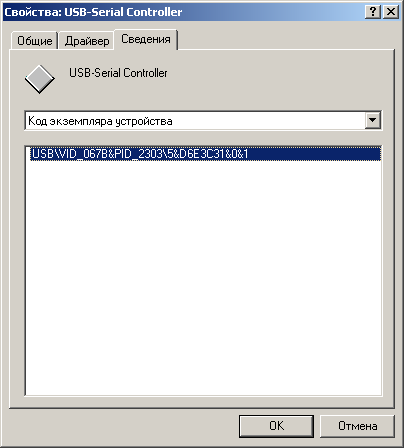
VID_067B is the vendor ID of Prolific, and PID_2303 is the PL-2303 chip. It is used in most cheap USB to serial (RS232) adapters, programmer cables, GPS receivers and so on.
Download the PL2303 driver
- Prolific-drivers-Windows.zip (1.5 MB) — the driver from the adapter’s CD, Prolific PL-2303 for Windows 98/2000/XP, 32-bit only. Tested on XP, works well.
- For Windows 7/10/11 (including 64-bit) — get the current driver from the official Prolific site (prolific.com.tw, PL2303 drivers section). On Windows 10/11 it usually installs automatically through Windows Update.
“PL2303HXA PHASED OUT” error (Code 10) on Windows 10/11
If your adapter is old (PL-2303HXA/XA chip) or a clone, the newest Prolific driver refuses to work with it: Device Manager shows a yellow warning and a message saying the chip is phased out and you should contact your supplier.
What to do:
- Device Manager → right-click the device → Update driver → Browse my computer → Let me pick from a list of available drivers.
- If an older Prolific driver version (3.3.x or earlier) is in the list, select it. This fixes it for many people.
- If not — the easiest fix is a new adapter with an FTDI or CH340 chip. They don’t have this restriction and cost very little.


