Category:
Hardware Posted:
29.05.2013
Author:
Antonio
Samsung refrigerators have unusual but meaningful model names. It turns out you shouldn’t choose by the numbers alone: the numbers aren’t a model number, they’re the capacity. Let’s decode a Samsung refrigerator model name.
The basics
- The first letter is the product type: R — refrigerator.
- The second letter is the layout: B — bottom freezer, T — top freezer, S — side-by-side, F — French door, W — wine cooler.
- The digits after the letters are the capacity: e.g. 35F — 350 L, 32F — 320 L, 29F — 290 L, 25F — 250 L.
Read the full article
Category:
Tips Posted:
22.02.2013
Author:
Antonio
Total Commander is an excellent file manager that has long become a classic.
To see the size of every subfolder, you could press Space on each folder one by one — or use a keyboard shortcut or a dedicated toolbar button.
Read the full article
Category:
Tips Posted:
24.12.2012
Author:
Antonio
I have a TP-Link TL-WR842ND Wi-Fi router, and I flashed OpenWrt on it for more features and stability.

OpenWrt has lots of advantages and runs much more stably, but occasional hangs still happen — especially with 5–10 clients and long uptime on a UPS. A couple of times DHCP stopped handing out IP addresses, and a reboot fixed it. To avoid such glitches I decided to reboot the router automatically once a day.
Task: reboot the router automatically with the OpenWrt task scheduler (cron).
Read the full article
Category:
Hardware Posted:
21.11.2012
Author:
Antonio
I flashed OpenWRT onto my TP-Link TL-WR842ND Wi-Fi router for more flexibility and features — and it really delivers.
Then I needed to open the OpenWRT web interface (LuCI) from the WAN side, i.e. from the internet. By default it is only reachable from the local network (LAN or Wi-Fi).
Important: a router web interface open to the whole internet is a favourite target for bots. It is safer to connect through a VPN (WireGuard) or an SSH tunnel. If you do open it, restrict access to your own IP (shown below) and use a strong password.
Read the full article
Category:
Hardware Posted:
9.04.2012
Author:
Antonio
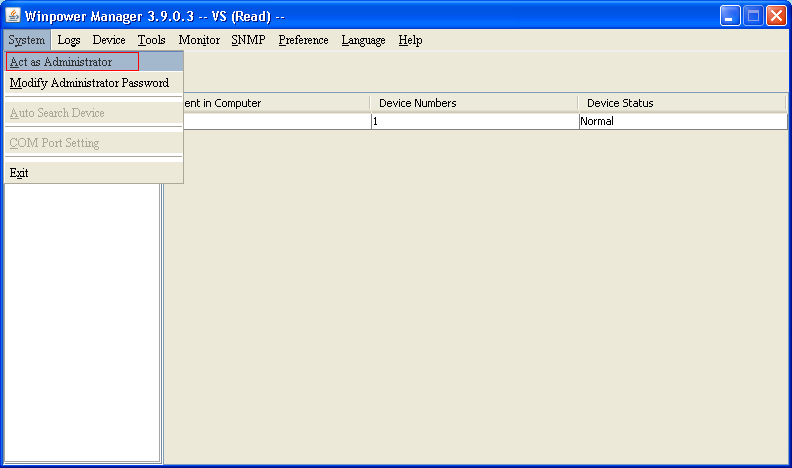
Problem: you install WinPower, connect a UPS (for example a Mustek PowerMust 600) via USB and start WinPower. The program doesn’t see the UPS, even though Windows detects it and installs the drivers. The UPS doesn’t show up in the program window, and auto search doesn’t help.
Solution: log in to WinPower as its administrator, then run auto search.
Step by step
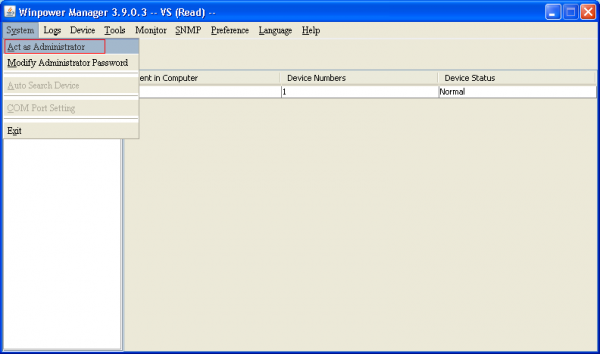
Switch to administrator mode:
Read the full article