USB\VID_6547&PID_0232 Driver (Ark Pioneer RS232 to USB) — Download
An RS232 to USB adapter cable based on an Ark Pioneer Microelectronics chip doesn’t get a driver automatically — neither on Windows XP nor on Windows 7.
Windows sees it as USB\VID_6547&PID_0232&REV_0001 (or USB\VID_6547&PID_0232) and needs a driver for it to work.
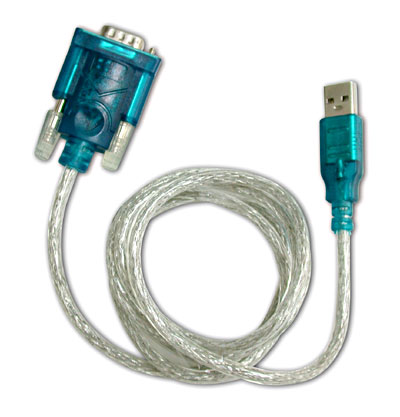
This is the RS232 to USB adapter cable with the Ark Pioneer Microelectronics chip:
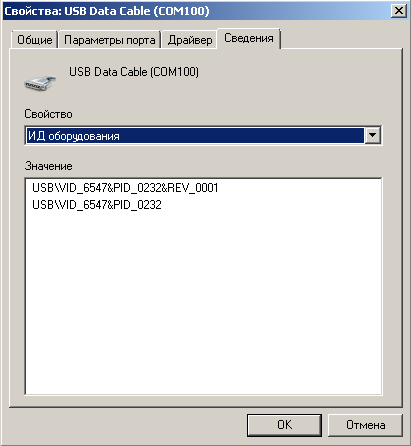
And this is how the device looks once the driver is installed, in a system information tool:
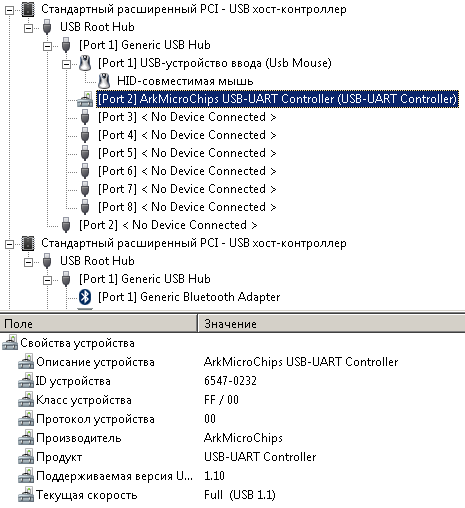
Download the driver
ArkPioneer.zip (400 KB) — Ark Pioneer Microelectronics USB to RS232 driver (versions 1.8/1.9, 2005) for Windows 98/2000/XP/7 32-bit.
Install it the usual way: unzip the archive, choose Update driver in Device Manager and point it to the Driver folder.
What about 64-bit Windows?
The archive only has 32-bit drivers. I couldn’t find a 64-bit version from Ark Pioneer, and neither could readers in the comments. Your options:
- use the adapter on a 32-bit system or in a virtual machine;
- buy a new USB to RS232 adapter with an FTDI, CH340 or Prolific chip — they have drivers for 64-bit Windows 10/11 and are cheap.


