CMD Current Directory Variable: %CD% and %~dp0 in Batch Files
Sometimes a script needs the path of the folder you are in right now. The full path of the current directory is stored in the %CD% variable.
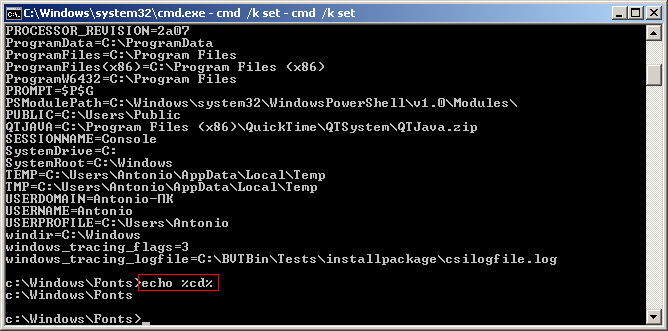
You can print the current directory in the console like this:
echo %cd%
System variables are essential when you write command scripts for the Windows console, i.e. .bat or .cmd files.
To see the names and values of the other Windows variables, run this in the command prompt (cmd.exe):
cmd /k set
%CD% vs %~dp0
%CD% is the folder you are in when the script runs. It changes if you start the script from another folder, and with “Run as administrator” it is often C:\Windows\System32.
To get the folder where the .bat file itself is stored, use %~dp0 (the path ends with a backslash):
echo %~dp0
cd /d %~dp0
P.S. Sometimes the script you need is just a couple of lines if you use the structure, the right commands and the built-in Windows variables properly.


