Raspberry Pi 3 GPIO Pinout and Powering via GPIO
The Raspberry Pi mini computer can be powered in several ways.
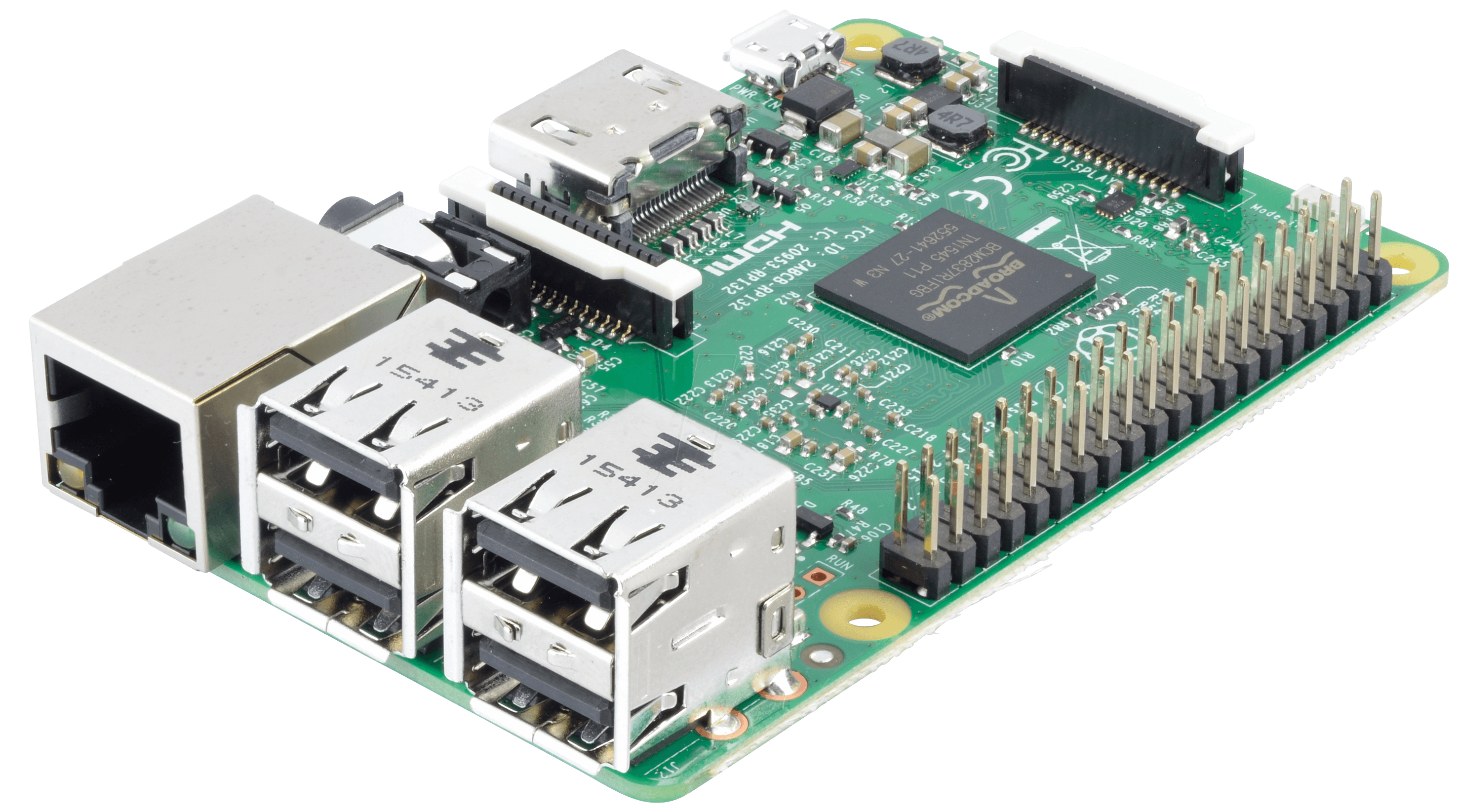
Ways to power a Raspberry Pi 2 or 3:
- The simplest: a good phone charger with 5 V / 2 A (2.5 A recommended for the Pi 3) into the micro-USB port.
- Through the GPIO pins (the 40-pin header — General Purpose Input/Output).
- Soldering wires directly to the board.
The second option is less brutal than the third and better than the first — provided you have a regulated 5 V power supply with at least 1 A (2 A or more is better) and connectors that fit the pins. You can take them from an old PC case (front panel or speaker cables) or buy them at an electronics store.
Raspberry Pi 2 and 3 GPIO pinout
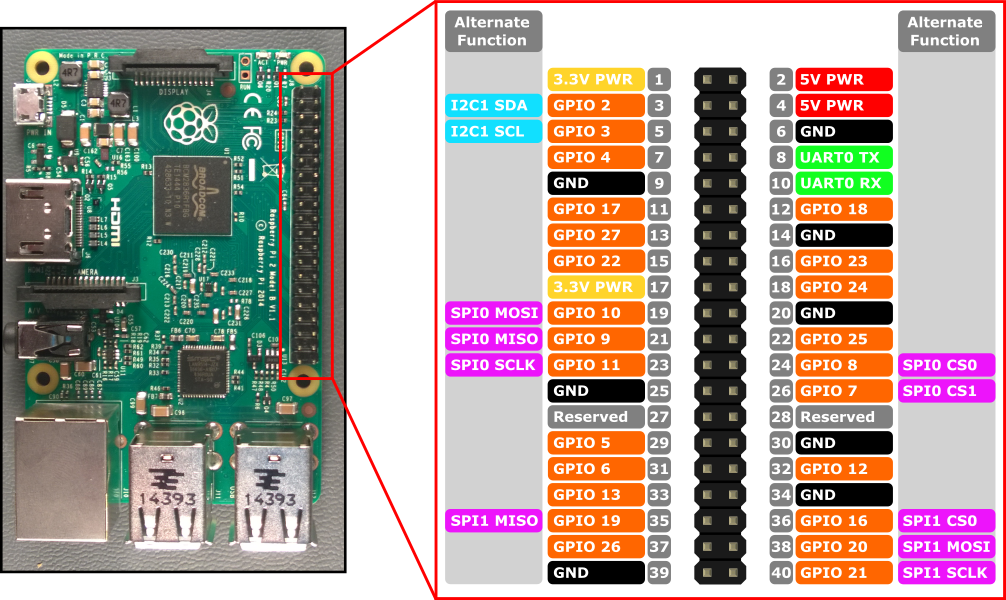
From the diagram: connect +5 V to pin 2 or 4 and ground (GND) to pin 6.
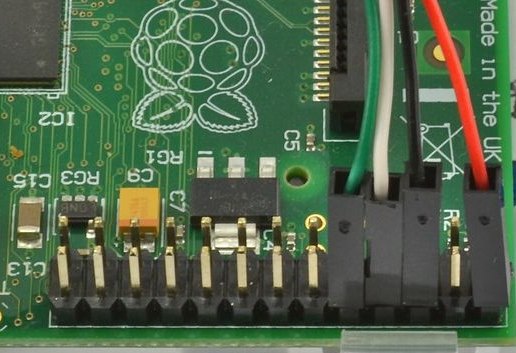
Warning! Use only one power source — either GPIO or micro-USB, never both!
Also note: power on the GPIO 5 V pins bypasses the board’s input fuse and protection, so the supply must be clean and stable — a voltage spike goes straight to the board.
For reference: when the Pi is powered via micro-USB, the corresponding GPIO pins work as power outputs for your devices: +5 V, +3.3 V and GND.
If you like things neat, Low Voltage Labs made a Raspberry Pi GPIO pinout card.
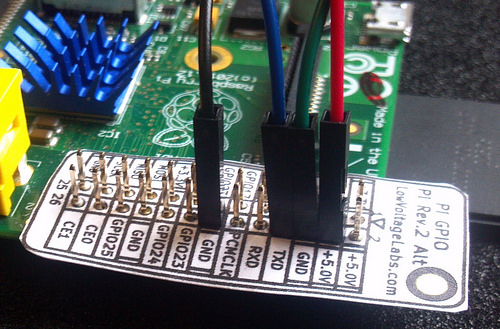
Print it on colored paper, cut it out, punch holes for the pins — and you’ve got labeled pins!
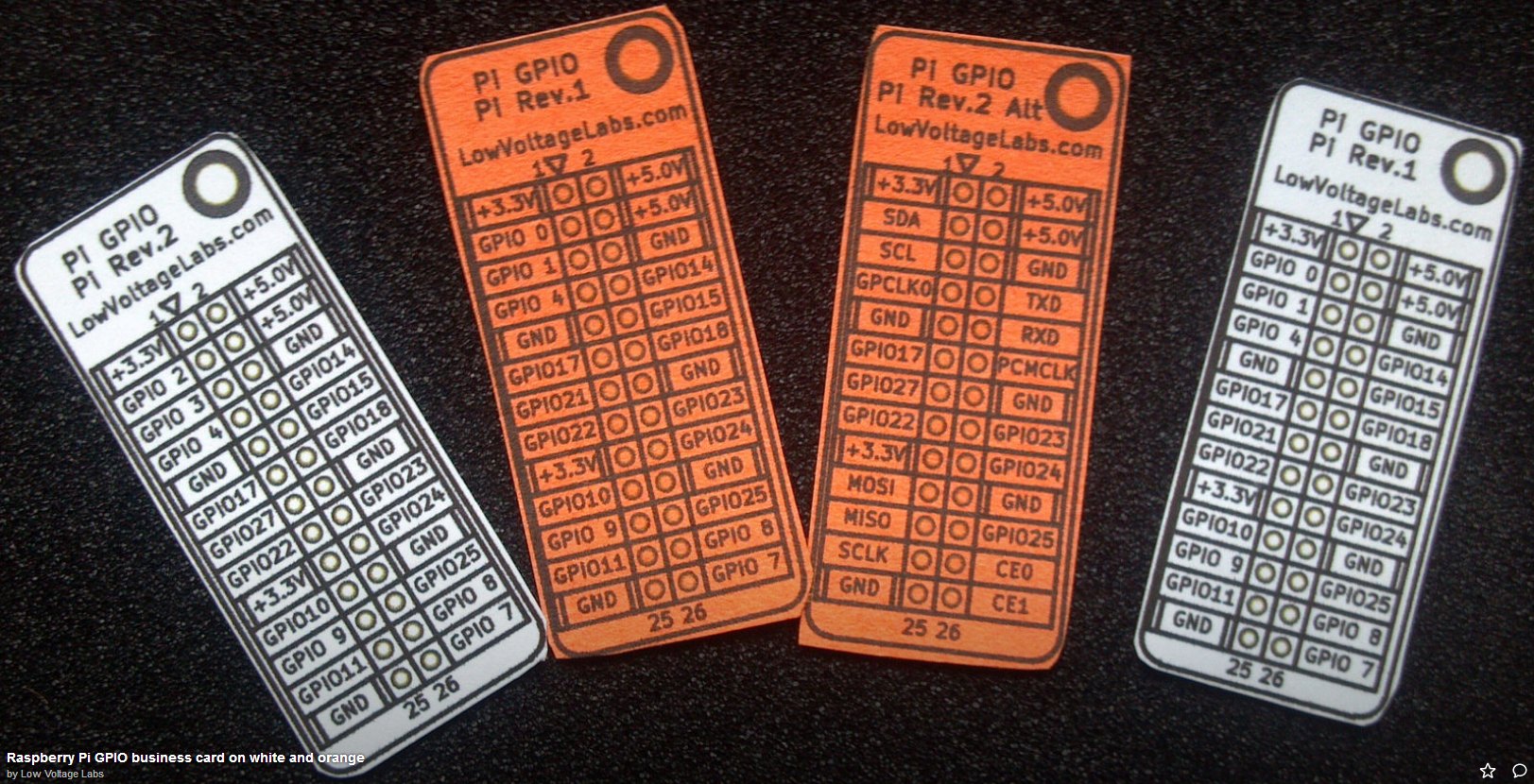
Download the Low Voltage Labs card for Raspberry Pi 3 — PDF.


