Everyone still uses email, yet checking an inbox every ten minutes is inconvenient – especially on mobile. Since Telegram is open all day anyway, forwarding important emails (server downtime alerts, customer inquiries, support replies, or billing notices) directly into a Telegram chat is one of the easiest productivity upgrades you can set up.

Quick answer: the fastest way to forward email to Telegram is a gateway bot that gives you a personal email address and mirrors incoming mail into your chat. Then create a filter in Gmail (or any mail provider) to forward only the messages you care about.
Read full article →
When moving a legacy 1C:Enterprise 7.7 database to a newer PC or terminal server running Windows 10, Windows 11, or Windows Server, you almost always hit the classic startup error: “The sort order set for the database differs from the system sort order” – and the database refuses to open.

Quick fix: place an empty file named OrdNoChk.prm into the 1C program folder next to 1cv7.exe (or directly inside the specific database folder) – 1C skips the collation check and opens normally on every modern version of Windows.
Read full article →
When swapping graphics cards (especially moving between NVIDIA and AMD) or recovering from a buggy GPU driver update, Windows’ built-in uninstaller often leaves behind stray registry keys and driver files. That is how you end up with random game crashes, flickering, or installers refusing to complete. The cleanest way to wipe everything is a free tool called Display Driver Uninstaller (DDU).

DDU completely removes NVIDIA, AMD, and Intel GPU drivers (plus stubborn Realtek and Sound Blaster audio drivers), requires no installation, and supports multiple languages.
Read full article →
I cloned an SD card with UltraISO using Bootable → Create Hard Disk Image. The result was an image of the memory card in .ima format.
The card was taken away. Fine, I thought, I’ll restore the image onto another card. And then — the error “Unknown image format”.
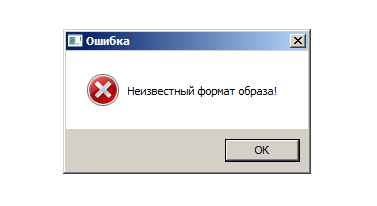
I didn’t see that coming.
Read full article →
I was asked to help with a funny glitch: when a document is opened in Office 2007, its words run together — the spaces disappear. Yet on another PC with Microsoft Office 2010 the same document opens fine, and other documents look normal in Office 2007.
In short: installing the Office 2007 service packs — SP2 and SP3 — fixed it for me. Below is what I tried and what else to check if the updates are already installed.
Read full article →

