How to Convert Many Files from Windows-1251 to UTF-8 (Batch, No BOM)
I needed to convert the files of a website to UTF-8. They had been created in Windows-1251.
It sounds trivial: take any converter and re-encode from windows-1251 to UTF-8. But that only works for a dozen files.
What if there are a thousand, spread across subfolders?
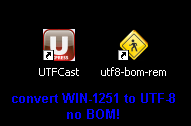
The obvious idea is a batch converter that does the whole job in one click.
By the way, the files were on a virtual server, and the disk was mapped as an ordinary network drive. No FTP or anything else was needed, although of course it was all available.
So I needed a converter for batch UTF-8 conversion.
And it had to be truly batch: not “select a pile of files and convert them”, but pick a starting folder and have the files converted recursively.
After a lot of searching, I found a solution.
There is a great free converter for batch UTF conversion, UTFCast Express: download UTFCast Express.
It converts a folder and all the files in its subfolders automatically. But there is a catch: the free Express version can’t convert to UTF-8 without BOM (BOM stands for Byte Order Mark, a marker used to identify UTF encodings).
The result is that your PHP scripts will most likely stop working. To fix that, you need a second tool: download utf8-bom-remover.exe (UTF-8 BOM Remover).
It is also a great little program: it removes the BOM from UTF-8 files and, most importantly, does it recursively for a folder and all its subfolders.
This pair of tools solves the problem.
Before that, I tried these programs:
- Smart Recoder 1.6.2b doesn’t work with UTF-8.
- TEA 26.2.0, TEA 27.0.1 is a powerful editor, but I couldn’t figure out how to use it for this, although some people say it can do it.
- Encoding Master 1.63 is worth a try, but it hung when I added my folder.
- Notepad++ is a flexible editor, but it has no simple recursive conversion. It can remove the BOM easily, though.
- AkelPad can save a file as UTF-8 without BOM manually.
- Far Manager with the FarTrans plugin crashed within 3 seconds on 1,010 PHP files. I tried several times.
- Ansi2Uni is a nice small converter, but its recursion is limited.
- Russian Anywhere 4.62 is a feature-packed converter, but it didn’t work for me.
- Kaboom seemed to have everything, but I couldn’t get recursion to work.
- UTF8_convert has minimal buttons and no way to turn the BOM off.
- ABConverter doesn’t work with UTF.
If you can spend $30, I recommend the paid UTFCast Professional. It is a very powerful, flexible, and convenient converter (at least it seemed so to me).
P.S. Don’t re-encode .htaccess, or you will be asking for trouble.
